Free
$0
Forever
- Every feature, photos carry a watermark
- Claim a full 7-day trial with no watermark
- No card needed
Photo booth software for Mac
Controls your Canon, prints on DNP and keeps working when the venue Wi-Fi doesn't. Guests scan a QR for their photos. Cloud gallery and iPad station included.
Free forever with a watermark · claim a full 7-day trial, no card needed · Apple silicon Mac (M1 or later), macOS 14+

EOS R8 and R6 Mark II over USB. Smooth live view. Shoot from the app or fire the shutter on the camera.
Shooting, framing, printing and saving all happen on the Mac. Photos go up to the cloud when the internet comes back.
Turn guests into different art styles inside the same frame. If AI is slow, the booth uses the real photo and keeps going.
Guest download pages, whole-event albums and an iPad sharing station. No server to rent, no extra cloud plan.
Guest screen
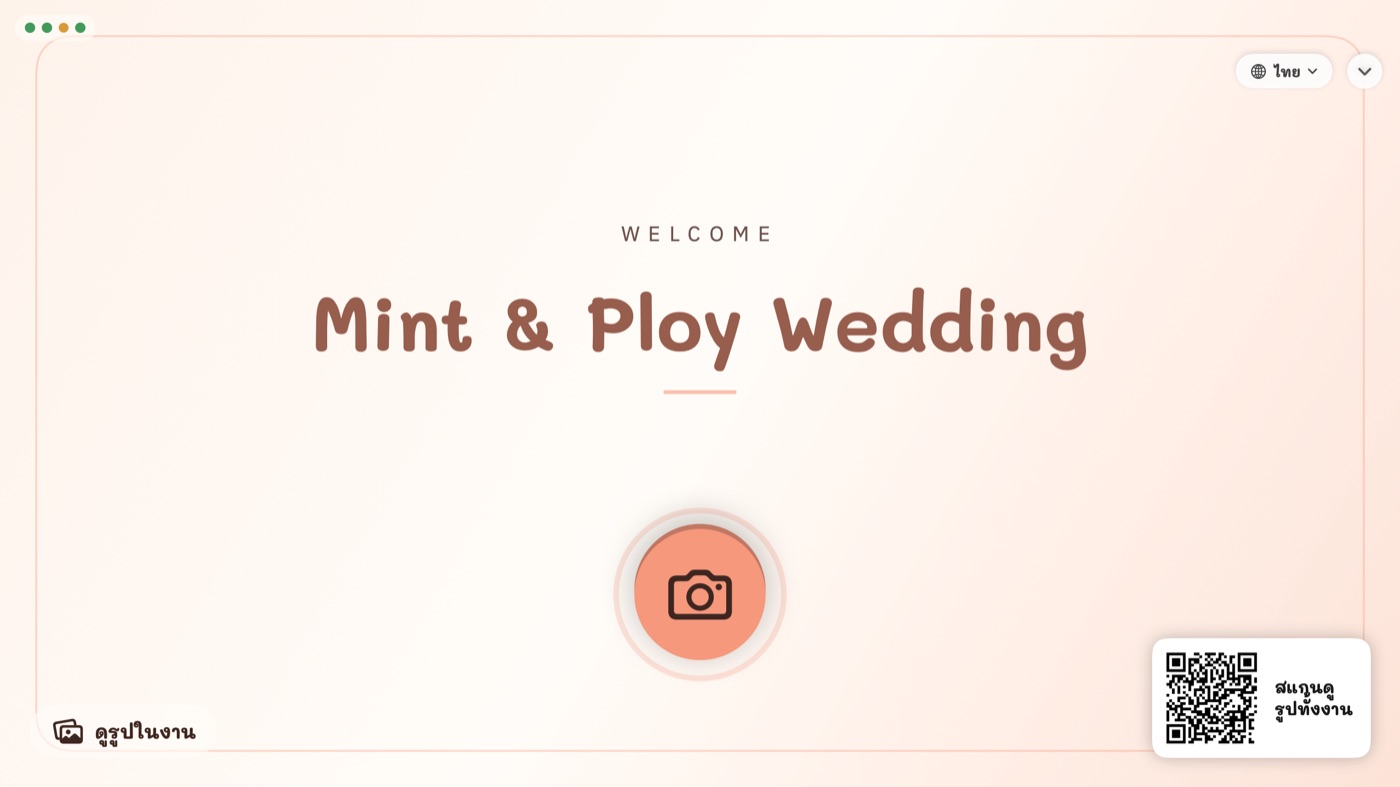
The start screen shows your event cover (or our clean default). Guests tap the camera, pick a frame, count down and see their framed photo right away. Don't like a shot? Tap X to retake it.
Events + frames
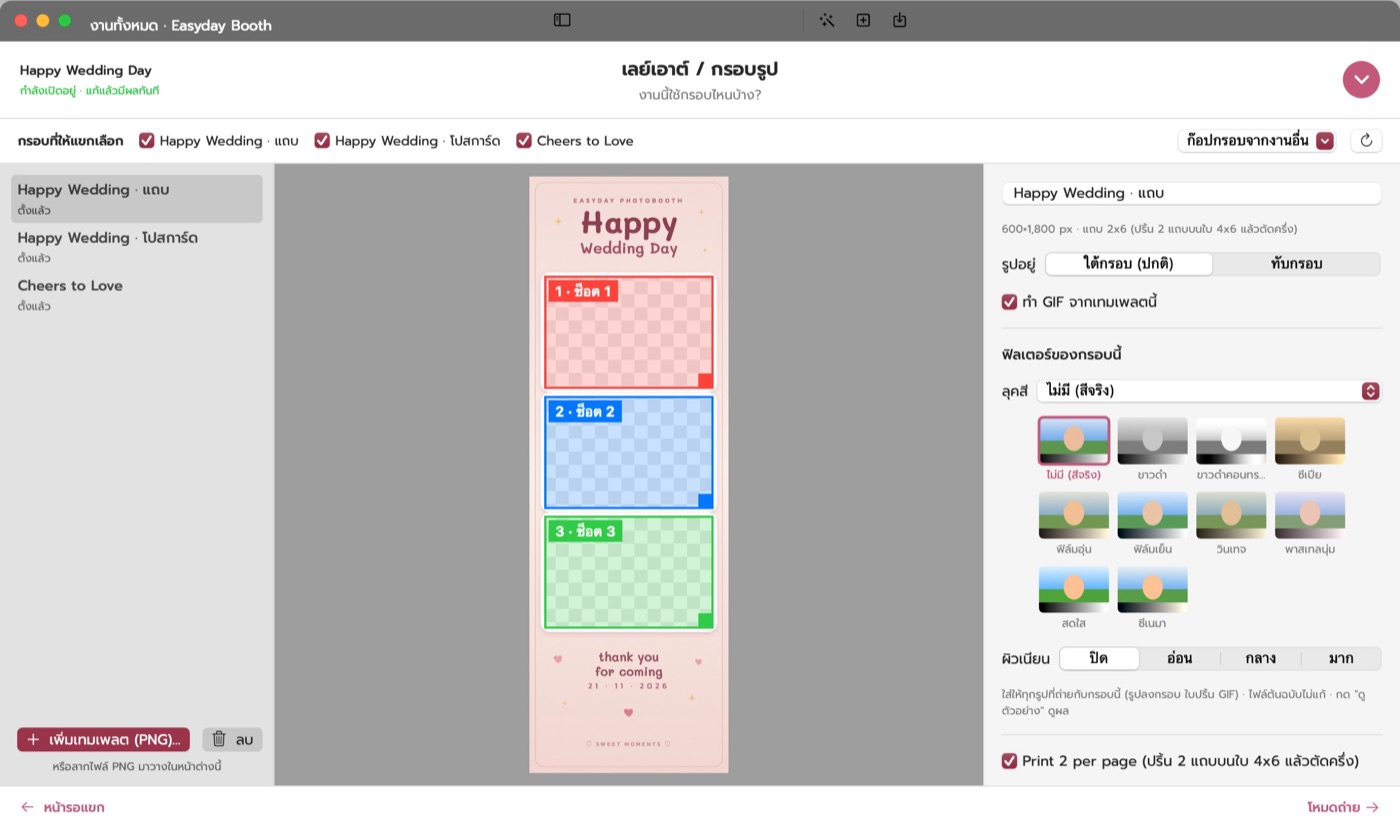
Design your frame in Canva or Photoshop with transparent windows and drag it in. The slots are found and ordered for you. Adjust them, then preview the exact print before the event.
Printing
Works with the DNP DS-RX1HS for 4x6 prints and 2x6 strips (printed two-up on 4x6 and cut automatically). Guests choose how many, within the limit you set.

Sharing
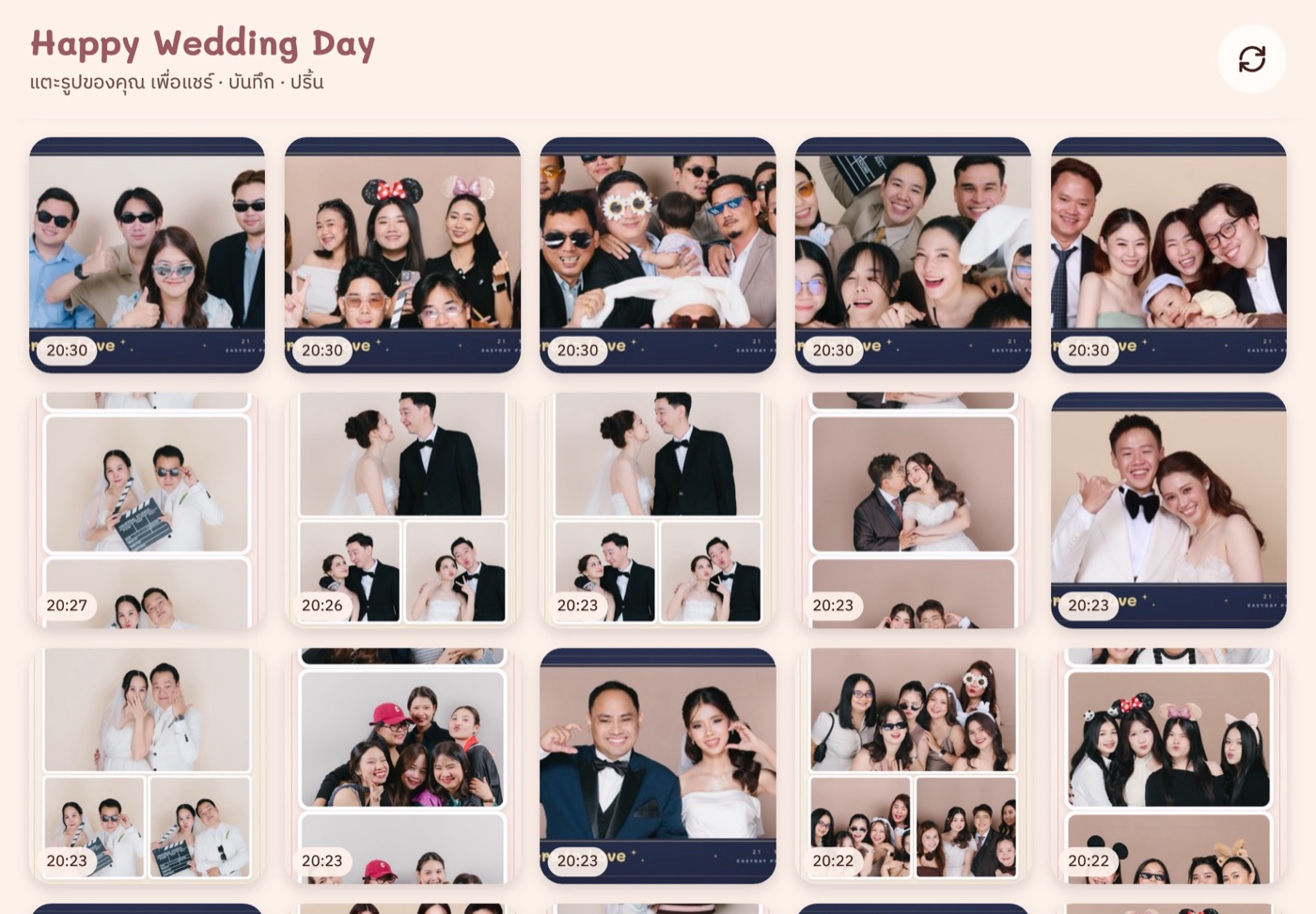
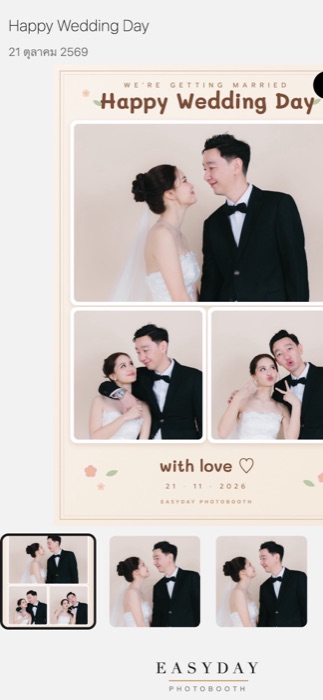
Guests scan and get a mobile photo page: the framed photo, a GIF and every single shot. Save to the camera roll or share to Instagram, Facebook or messaging apps. If photos are still uploading, the page waits and loads them on its own.
After the event
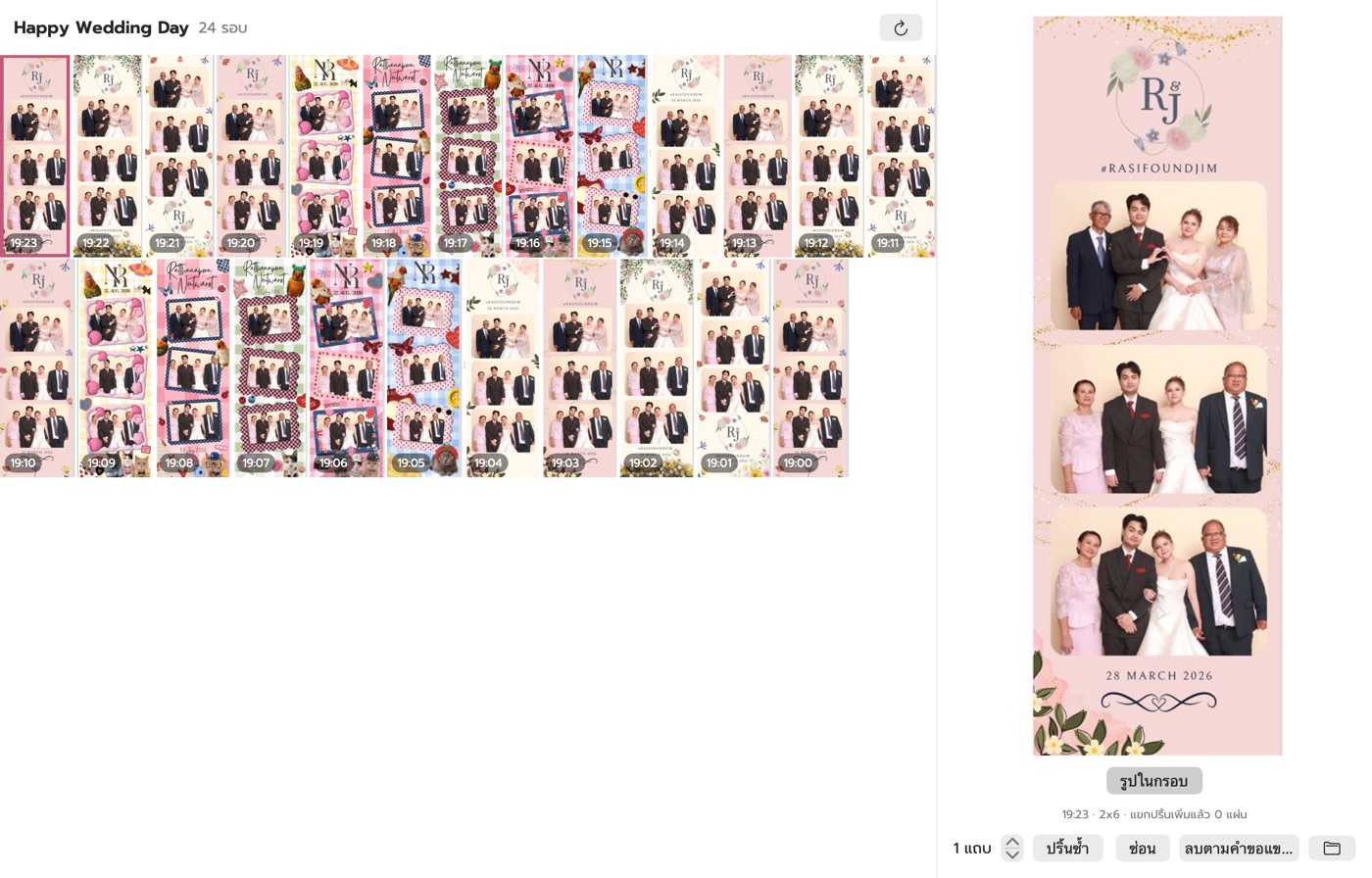
The staff gallery shows the whole event on one screen. Reprint, hide a round or delete it on a guest's request. Send the whole event to Google Drive, or download it as one file from the web dashboard.
Real numbers from our system
From cloud launch on 19 Oct 2026 to 24 Oct 2026 (includes test rounds) · Runs on Cloudflare · If the venue internet or the cloud has trouble, the booth keeps shooting and printing; photos wait on the Mac and upload later
Compared with typical photo booth software, based on publicly listed plans
| Daylabooth | Typical booth software | |
|---|---|---|
| Price | $19.99 / month · 7-day plan available | About $20–50 / month |
| Guest cloud gallery | Included | Usually a separate subscription |
| iPad sharing station | Web app, opens in Safari | Often a separate app |
| Works without internet | Shoot, frame, print, QR | Varies |
| AI frames | Yes (credits) | Some (paid add-on) |
| Runs on | Mac (Apple silicon) | Varies; some on Windows / iPad |
An overview of plans and features published by photo booth software vendors (Oct 2026). Every product differs and prices change.
The app + guest cloud gallery + iPad station
$0
Forever
$11.99
for 7 days · one event
$19.99
per month
Best value
$216
per year · save
AI frames use credits: 150 credits $14.99 · Paid plans are activated by our team after payment; message us to buy.
Create your shop account and download the Mac installer
Sign in to the app, then claim your 7-day trial on your account page
Name it, drag in a PNG frame, pick a theme
Plug in your Canon camera, DNP printer and guest screen
Guests shoot, then scan the QR for their photos
Made by booth people
The team behind Daylabooth runs a photo booth rental business. We've had the same problems you have: a booth freezing in front of guests, venue internet dropping, paper running out mid-event. Daylabooth was designed around each of those problems and is tested with real cameras and printers before every release.
Not yet. It runs on Apple silicon Macs (M1 or later) with macOS 14 or newer. Intel Macs and Windows aren't supported.
Canon EOS R8 and EOS R6 Mark II are tested, plus webcams and USB cameras. Other models haven't been tested yet; ask us before buying.
The DNP DS-RX1HS, with 4x6 prints and 2x6 strips (automatic cut). No printer? Prints can be saved as files.
Two. (1) Free forever with every feature, but photos and prints carry a watermark. (2) A full 7-day trial with no watermark: create a shop account, sign in to the app on your Mac, then tap "Claim trial" on your account page. One account and one Mac can claim it once. After 7 days the app goes back to the watermarked free mode. Buying a plan removes the watermark without reinstalling.
Yes. Shooting, framing, printing and saving all happen on the Mac. The QR shows instantly; the guest page waits until the photos reach the cloud, and they upload by themselves once the internet is back. The iPad station can AirDrop without internet.
You choose per event; the default is 30 days. The guest page shows when the photos will be removed. Originals on your Mac are never deleted.
No. Each shop's data and photos are kept in separate accounts. We don't look at them or use them. See the privacy policy at my.daylabooth.com/privacy.
The first time, right-click the app icon and choose "Open", or go to System Settings › Privacy & Security and click "Open Anyway". You only do this once; later updates install from inside the app.
Message us and we'll activate your plan on your account. The app removes the watermark automatically once it's online. Plans: 7 days, monthly or yearly.