iPad sharing station
iPad photo booth sharing station: AirDrop, reprints, QR
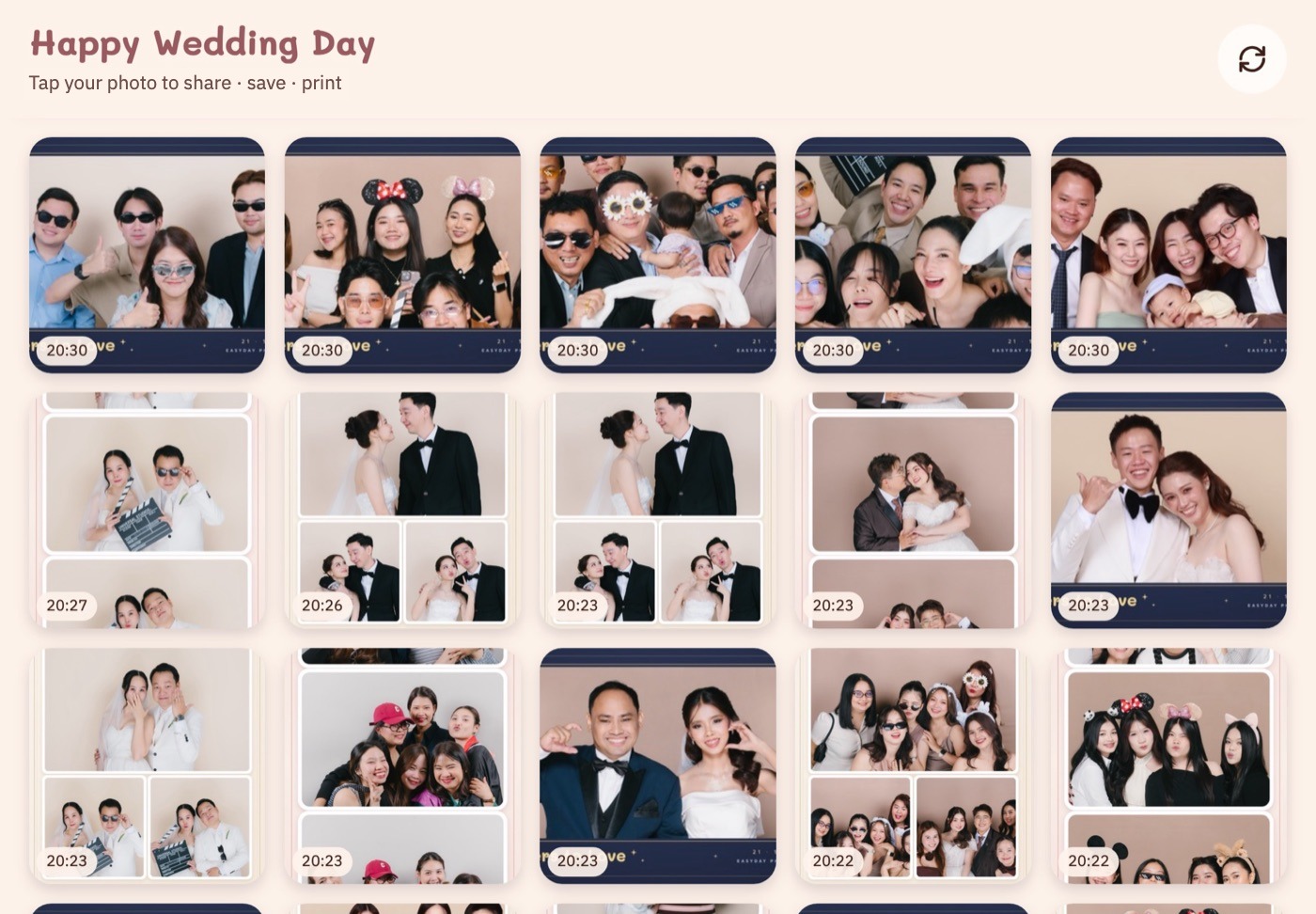
Daylashare turns an iPad into a sharing station next to your booth. Guests browse every round of the event, find their photos and send them on, while the booth keeps shooting the next group.
- Free Dayla Share app for iPad and iPhone on the App Store, or open it in Safari with no app to install
- AirDrop, email, LINE, WhatsApp, reprints, or scan a QR
- AirDrop works without internet at the venue
- Priced per shop and works with all your Macs
- Staff mode on the iPad uses the same account as the Mac, and prints queued from the iPad are capped at 10 sheets by default
What it costs
Daylashare is sold separately from the booth plans: $6.99 for 30 days, or, recommended for most shops, the combo plan: $18.99 / month for the Monthly booth plan with Daylashare, saving $1.99 on $20.98 bought separately, or $188.99 / year with the Yearly booth plan, saving $31.88 on $220.87 (see pricing). The 7-day free trial covers Daylashare too, so you can try it at an event first.
Why add an iPad station?
- Guests who missed the QR on the booth screen can still find their round later in the event
- Groups can AirDrop their photos straight to their own phones
- Reprints happen at the iPad, so the queue at the booth keeps moving
Every guest still gets a QR page from the booth itself; see QR sharing and the online gallery.
How to set up an iPad sharing station
- Open the event in Daylabooth on the booth Mac.
- Connect the iPad to the same Wi-Fi as the Mac. The Dayla Share app needs iPadOS 17 or later, or open the station page in Safari with no app to install.
- Pair it: sign in to the app with the same shop account as the Mac, or on the Mac go to Event settings › Sharing › Pair iPad, press Create a pairing code, then open the address the Mac shows in Safari on the iPad and type the 6-digit code.
- Choose how reprints work for the event: guests reprint on their own within the limit you set, or staff confirm each reprint with the staff PIN.
New rounds appear on the iPad moments after guests confirm their photos at the booth. You can hide a round from the station, and the iPad goes back to the gallery by itself when nobody is using it.
What is a photo booth sharing station?
An iPad next to the booth where guests browse every round of the event, find their own photos and send them to their phones by AirDrop, email, LINE or WhatsApp, scan a QR, or ask for a reprint, while the booth keeps shooting the next group.
Does the iPad sharing station need internet?
Browsing, AirDrop and reprints work over the venue Wi-Fi between the iPad and the Mac, without internet. You can also turn on the Offline QR button: the guest's phone joins the booth Wi-Fi and downloads the photos from the Mac. Email, LINE, WhatsApp and the normal QR link need internet; emails wait and send on their own when it's back.
Which iPad do I need?
The free Dayla Share app runs on iPadOS 17 or later, and also on iPhone. Without the app, open the station page in Safari instead.
Can guests print from the iPad?
Yes. Per event, choose whether guests reprint on their own within your limit or staff confirm with a PIN. By default up to 10 sheets from the iPad can wait in the print queue; you can change this limit.
How much does the iPad sharing station cost?
The app is free, but the station is sold separately as Daylashare, alone or in a combo with a booth plan. One Daylashare covers every iPad and Mac of your shop, and the free trial includes it.
Try Daylabooth at your next event
Photo booth software for Mac · a full 7-day free trial, no card needed