Film filters
Photo booth filters: 12 film looks, your own .cube LUTs and Lightroom presets (via a HALD image)
Film filters give each frame in Daylabooth its own look. Pick one of 12 film looks we made ourselves, add film grain and a vignette, and every photo taken with that frame comes out with the same feel, on screen and on paper.
- 12 film looks of our own
- Film grain in 3 levels, stronger in the shadows
- Vignette in 3 levels
- Set per frame, so each frame in an event can have its own look
- Used for the framed photo, prints, the GIF and each guest's single photos
- The live view shows the colour and vignette before the shot
- Your original files are never changed
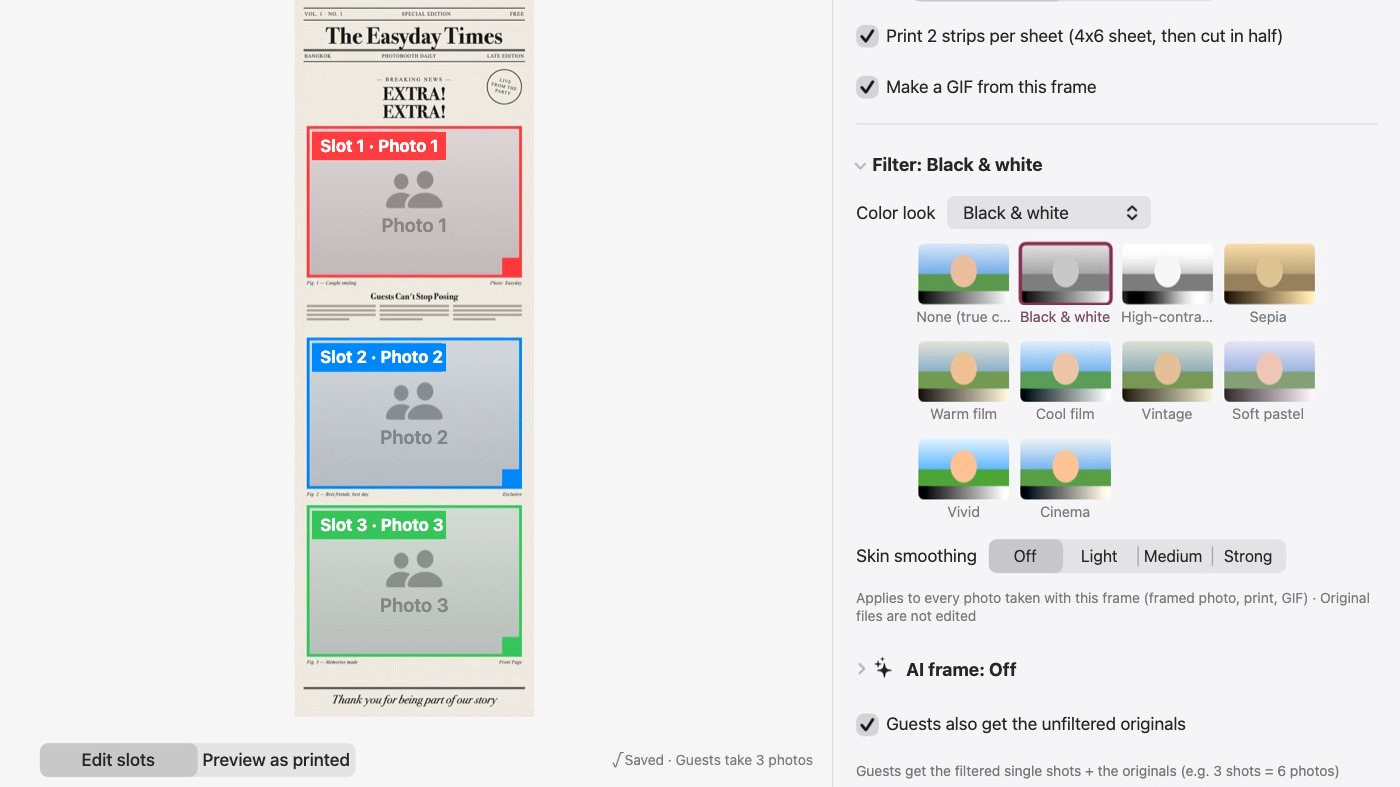
Use your own filters: .cube LUTs and Lightroom presets (via a HALD image)
Already have a look you love? Import a .cube file (from Photoshop, DaVinci Resolve or a LUT pack) as a filter for any frame. For a Lightroom preset, export the starting HALD image from the app, apply your preset to it in Lightroom, export it as TIFF or PNG and import it back. Set the strength from 0 to 100% and lift the shadows if you like. The live view, the framed photo, prints and the GIF all get the same colour. Imported filters stay in your shop's filter library on that Mac, ready for every event.
Skin smoothing and AI styles
Skin smoothing is set per frame as well. For a completely different look, AI frames turn guests into art styles inside the same frame, and if the AI is slow the booth uses the real photo and keeps going. AI frames use credits: 200 credits $27.99. See AI samples from real events.
Running a black and white glam booth?
Lighting, backdrop, camera settings and posing for magazine-style portraits: Black and white glam booth: how to set one up.
More about the booth: Canon camera control · printing · QR sharing · pricing.
Try Daylabooth at your next event
Photo booth software for Mac · a full 7-day free trial, no card needed